AME Release: 3.0
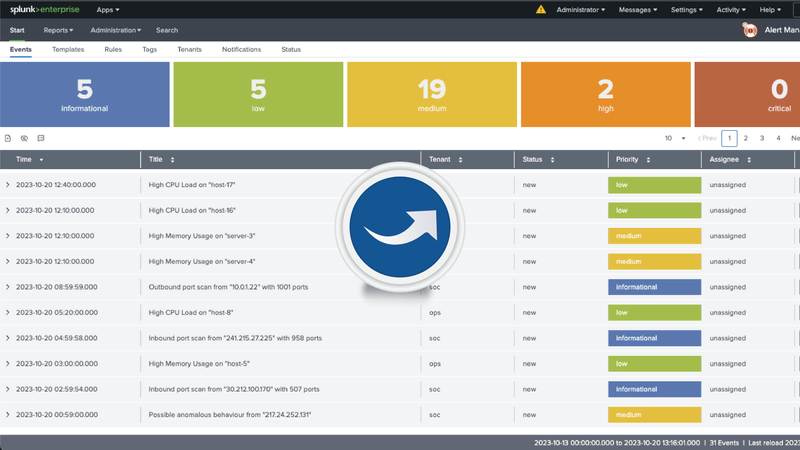
The Datapunctum team is proud to release version 3.0 of Alert Manager Enterprise. This major release marks another milestone in the Alert Manager Enterprise journey that started more than three years ago. We are especially proud of this release since it coincides with Datapunctum's 5th birthday, another significant achievement and impetus for celebration for the team.
We are excited about the new features and functionalities introduced in the latest release and how these features can help customers realize how AME can benefit their event resolution workflows.
Rule and Notification Engines
This release sees significant enhancements to the Rule and Notification engines within AME. Customers can now model workflows and states according to their processes. The release also introduces Notification templates and a template editor. Customers can craft custom templates with content based on the Jinja templating syntax to drive notifications from the platform.
Event Automation
The rule engine can now be used to power dynamic event updates, using the rule composer to craft complex logic evaluations for when updates and notification triggers should fire.
Event Resolutions
Event resolutions are now available, allowing analysts to set the ultimate state of an event, such as designating it as a "False positive," "True positive," "Benign true positive," etc. Customers can define their own resolutions per tenant to ensure that events are accurately classified and can provide insights into reporting KPIs.
Improved Statuses
Statuses have been improved, and status transitions can now be enforced. Users can now constrain transitions to ensure that event flows accurately match their internal processes, ensuring that users can no longer transition events improperly.
Performance Improvements
Overall, performance improvements were also made to the new release. The backend and API improvements result in a much more responsive user interface and overall user experience.
Notification Template Editor
Customers can craft custom templates using the templating syntax to render structured text (such as HTML) or normal plain text. Event information and metadata can be freely referenced to create punctual and concise notifications, ensuring the right information is distributed to analysts at the right time.
We will be publishing additional blogs and articles showcasing how these new features can enable your team to streamline and improve their workflows and alert management processes.
We are proud of this latest achievement and eager for our customers to experience the benefits of Alert Manager Enterprise Version 3.0. Our commitment to continuous improvement and excellence remains unwavering, and we look forward to supporting our customers in achieving their operational goals. Stay tuned, and be sure to follow us on LinkedIn.
References: