Announcing Alert Manager Enterprise 4.0 at Splunk .conf26
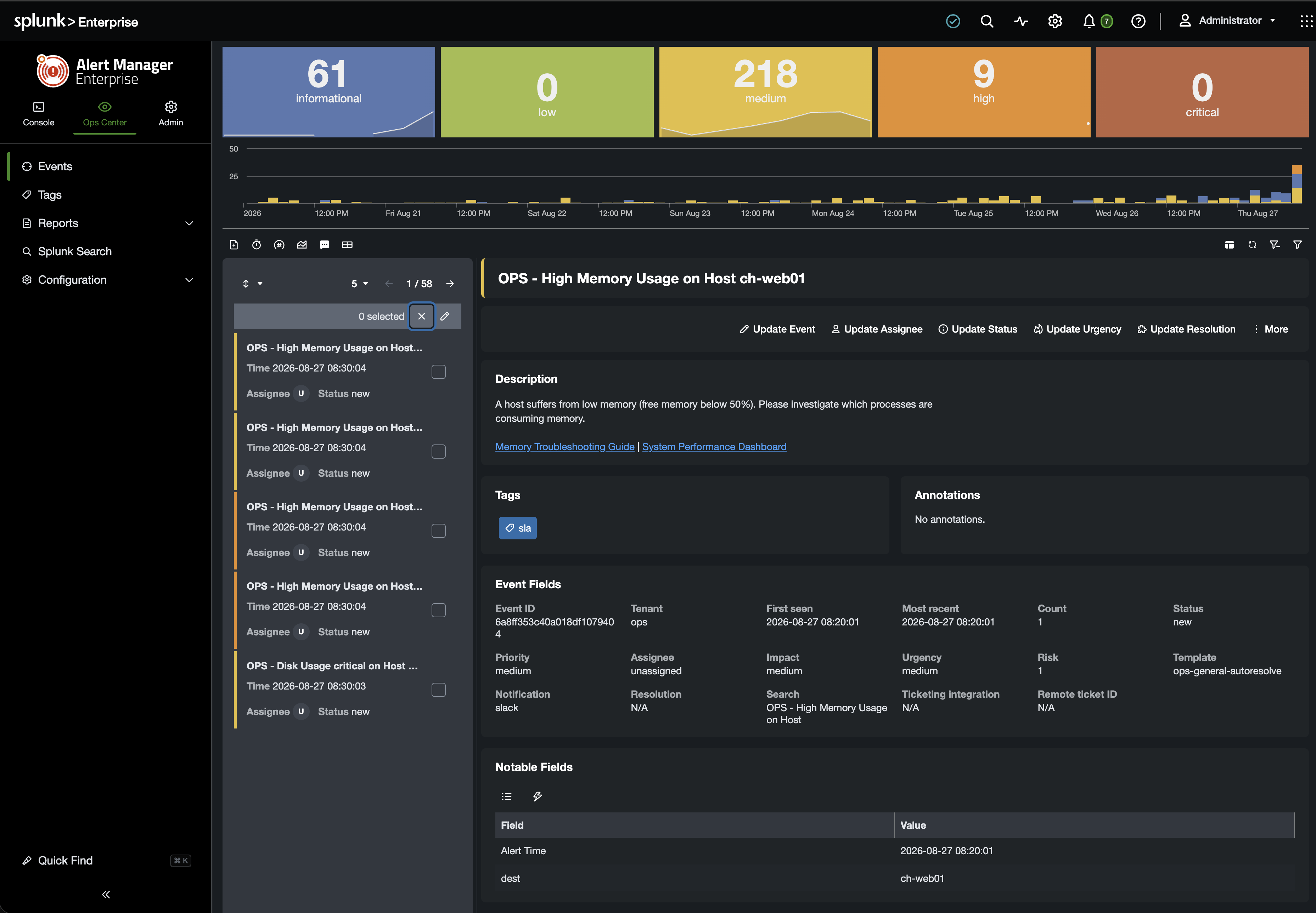
We’re excited to introduce Alert Manager Enterprise 4.0, with a redesigned interface that makes investigating alerts and managing configuration easier. For teams using Vulnerability Intelligence, a new PostgreSQL backend provides the foundation for managing larger vulnerability datasets.
Get a first look at Splunk .conf26 in Denver, September 14–17, 2026, with a live preview at the Datapunctum booth. General availability is planned for Q4 2026. Join us to explore the new experience and discuss what it means for your team.
You can also get started with AME today: our self-service trial portal is now available for trial license requests for the current release.
A redesigned interface, from investigation to administration
Optimized for the new UI introduced in Splunk 10.4, the redesigned interface aims to make AME feel like a natural part of Splunk, with a consistent experience as you move between investigation and administration.
Console, Operations Center, and Administration
AME 4.0 organizes the interface into three distinct areas, giving teams a clear place for each part of their work:
- Console: focused views for working within a single tenant.
- Operations Center: a shared analyst queue for coordinating investigation and response.
- Administration: a dedicated area for managing configuration, including statuses, SLAs, templates, notification targets, and Vulnerability Intelligence settings and PostgreSQL connections.
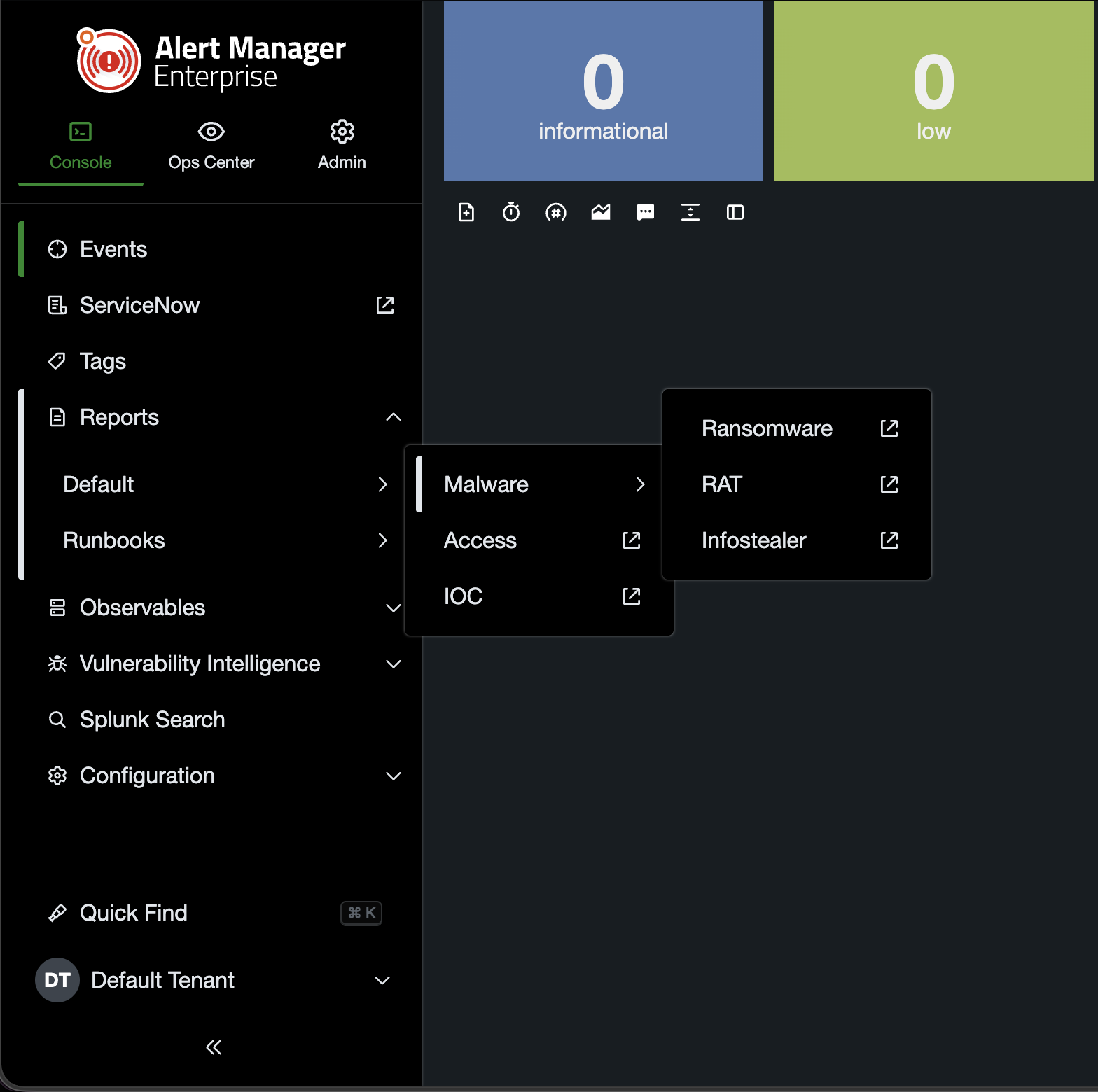
Users only see the areas and navigation items they have access to. Navigation can be customized to suit your team's workflow, with role-based controls for who can see each item.
Browse the navigation or make room for your work. Expand navigation groups to explore the pages within each area. When you need more space, collapse the navigation to give your queue or investigation more room.
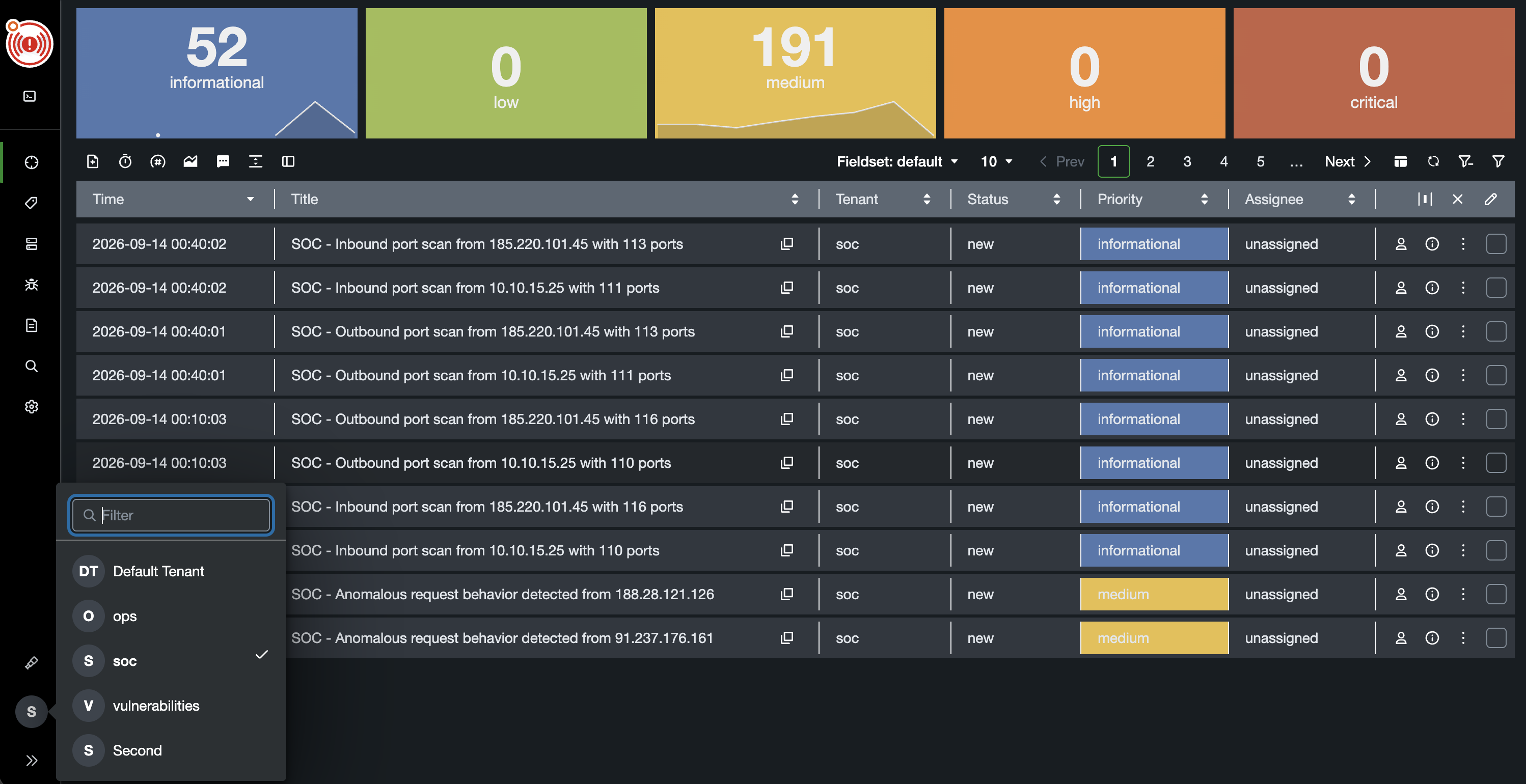
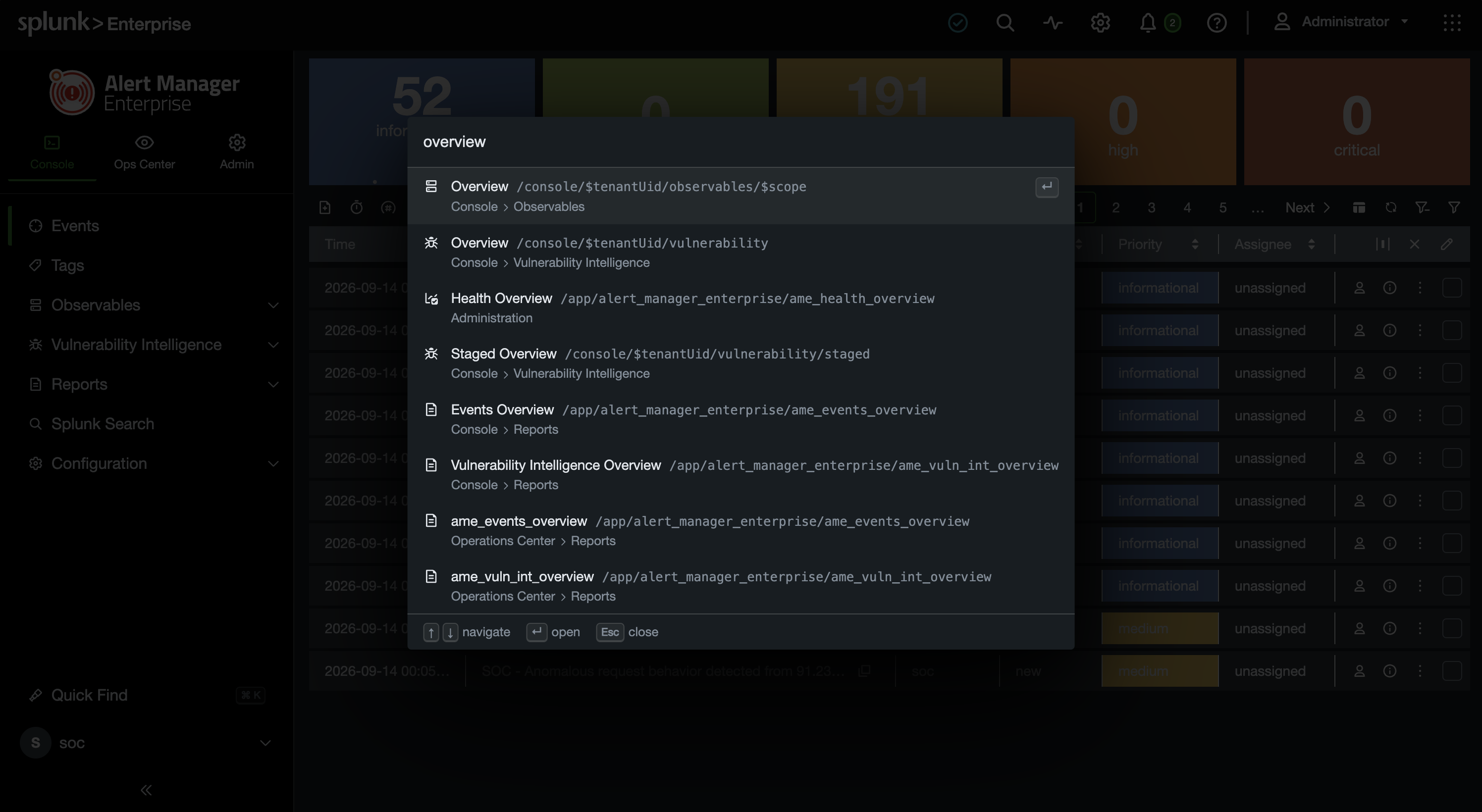
Get where you need to go with Quick Find. Search for a page in the navigation and jump directly to it, without browsing through each group. Results show the area each page belongs to, helping you choose the right destination. Use the arrow keys to move through results, Enter to open a page, and Escape to close Quick Find.
Dedicated pages for managing individual items
Creating, viewing, editing, and deleting items now happens on dedicated pages instead of within collapsible sections. Navigate directly to an item or share its link with a colleague who has access. Clear page boundaries and breadcrumbs help prevent accidental navigation and make managing items a cleaner, more streamlined experience.
Three ways to work on events
From reviewing a queue to investigating a single event in depth, AME 4.0 gives you a view that fits the task:
- Explorer table: the familiar table view for reviewing events and working through your queue, with improved pagination, column controls, and filters.
- Explorer preview: more space to view and work on an event, with side navigation for moving between events.
- Event workbench: a dedicated view of a single event, giving you room to go deeper into an investigation.
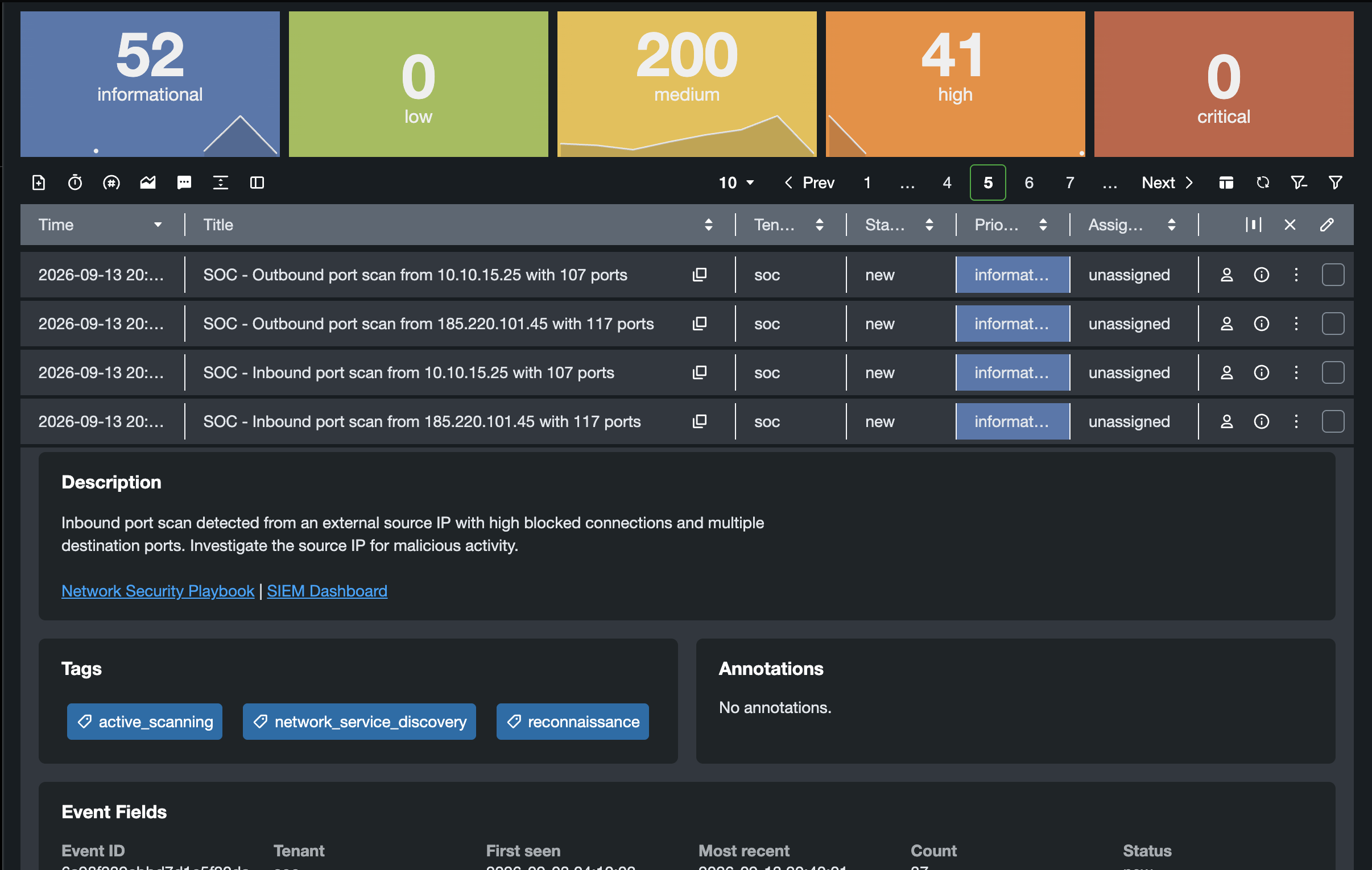
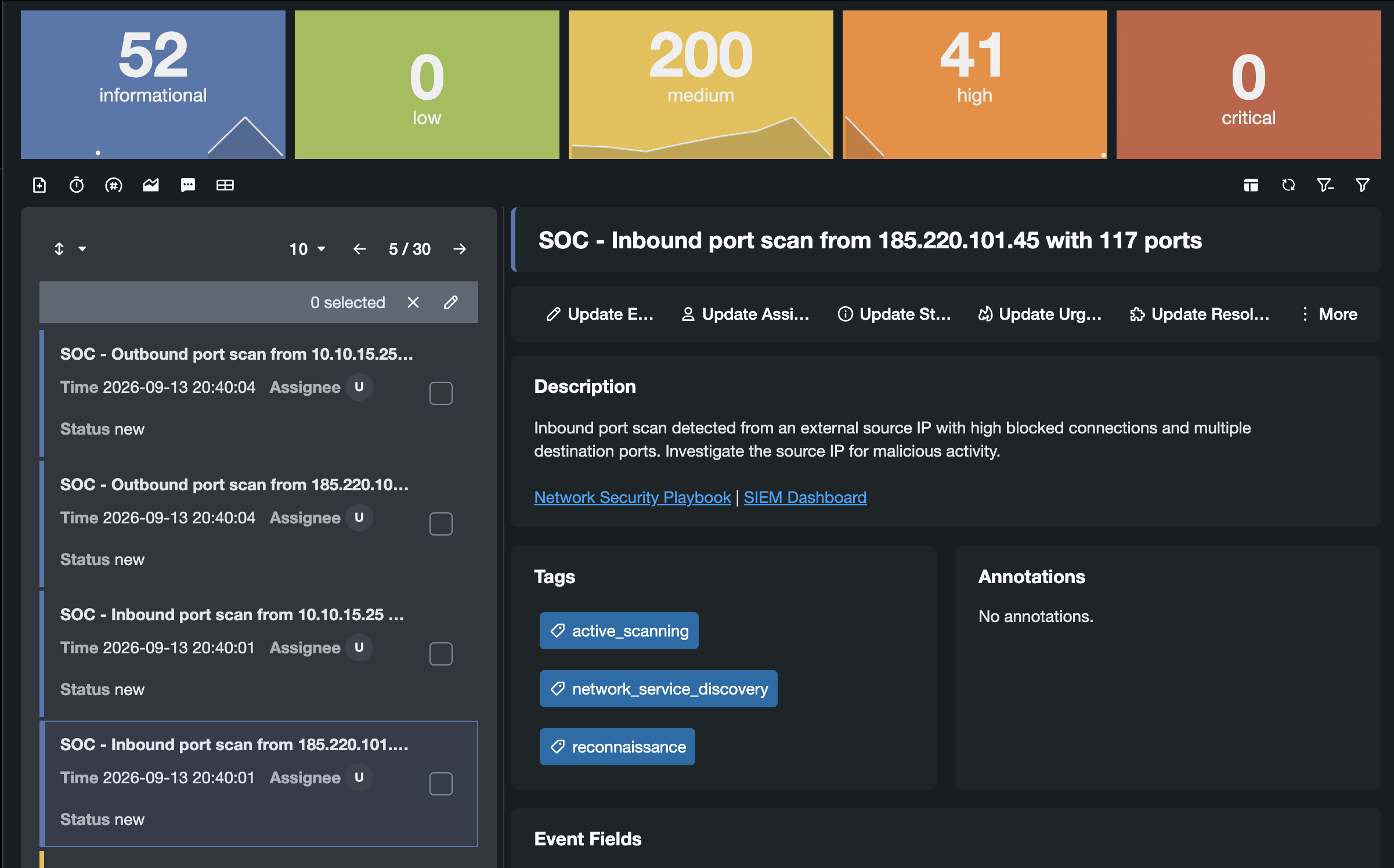
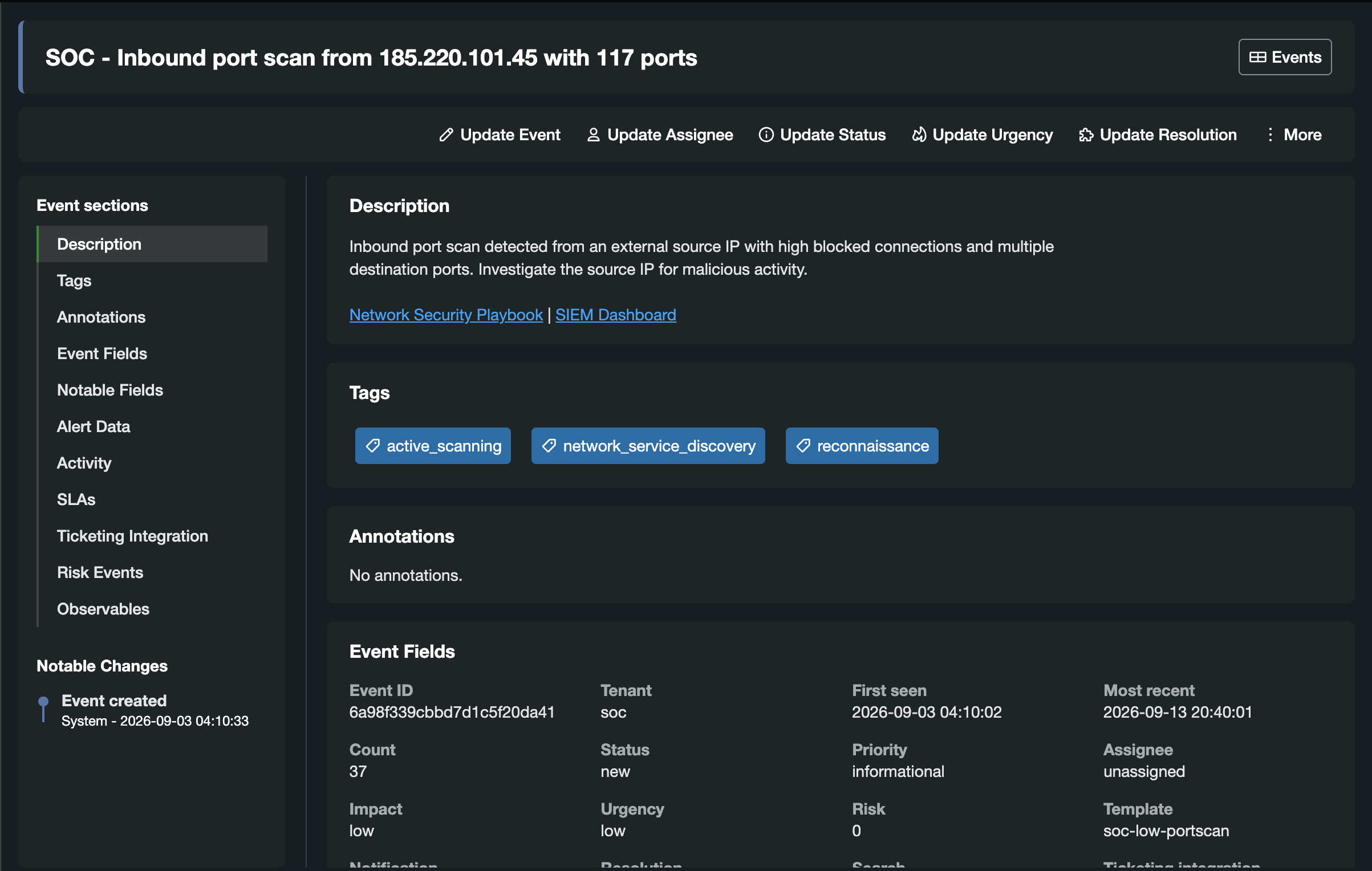
Select any screenshot to open it at full size in a new tab.
You also choose which event sections are relevant to you and configure what you want to see. Tailor the view to your work so the information you need stays in focus.
The core AME workflow remains the same: add the AME Alert Action to your existing searches, turn alerts into trackable events, and manage the response within Splunk Enterprise or Splunk Cloud.
A new foundation for Vulnerability Intelligence
Starting with AME 4.0, Vulnerability Intelligence requires PostgreSQL. Splunk KV Store will no longer be supported for Vulnerability Intelligence data.
PostgreSQL is a natural fit for the relationships between CVEs, scanner findings (called realizations in AME), assets, identities, and rules. It provides indexing and schema controls for a workload that combines frequent ingestion with dashboards and scheduled reports. It also lays the groundwork for future analytics and richer connections between vulnerability findings and observables.
What this means for your upgrade:
- If you use Vulnerability Intelligence: plan for PostgreSQL as part of your move to 4.0. A valid Security Pack license remains required.
- If you use AME without Vulnerability Intelligence: you can upgrade without PostgreSQL. Event management and AME configuration continue to use Splunk KV Store.
For PostgreSQL, plan connectivity from the search head or the node running AME’s modular inputs, along with credentials, TLS, backups, and capacity. Plan for PostgreSQL 16 or later, and consult the 4.0 Before You Upgrade guide for the exact supported versions when it becomes available.
Request a trial through the new portal
You can now request trial licenses through our self-service trial portal. Trials are available for Alert Manager Enterprise and the subscription packs that extend the free tier:
- Security Pack: Vulnerability Intelligence, risk scoring, and security tags.
- Multi-Tenancy: capabilities for managing multiple tenants.
Submit your request and accept the terms in the portal. Your trial key will be issued automatically. Trials are for the current AME release - but will also cover AME 4.0 once it becomes available.
Broader license management features will roll out gradually. Production licensing and partner workflows remain unchanged, as does the free license available on Splunkbase.
See AME 4.0 at Splunk .conf26
Join us at the Datapunctum booth at the Colorado Convention Center in Denver, September 14–17. Explore the redesigned interface, see Vulnerability Intelligence running on PostgreSQL, and walk through the upgrade process on a live system.
Already using AME? Bring your questions about analyst workflows, vulnerability data volumes, or preparing for PostgreSQL. New to AME? See how a Splunk alert becomes an event your team can investigate, connect to vulnerability findings, and track through a ticket.
We’d love to hear what your team is working on and show you how AME can help. Request a trial today, and stop by for a first look at 4.0.
Explore AME
- Product overview and documentation
- Download AME 3.9 on Splunkbase
- Request a trial license
- Meet Datapunctum
Have questions or feedback? Connect with us on Splunk Answers, in the Splunk usergroup Slack, or at the booth in Denver.